myCinsh Leave Approval Manager Guide
Overview
This guide outlines the responsibilities and steps for an Approval Manager (e.g., Grant as the nominated Approval Manager for David Steed) when using the Leave Approval feature in Cinsh.
Setup Requirements
Approval Manager Assignment: An Approval Manager must be assigned to each employee in Cinsh to utilise the Leave module. When setting up Cinsh for the first time, set a default Approval Manager under company settings. This will ensure all employees have an Approver allocated. Individual employees may have different leave approvers and this can be allocated on the employee. Note: A pay clerk can process leave payments without approval.
- Email Notification: When an Approval Manager is assigned, an automatic email is sent to them whenever an employee logs a leave booking.
Approving or Declining Leave Requests in myCinsh
Approving Leave from the Email:
Click the "Approve/Decline Request" link in the email to open the Leave Approval Form.
1.1 Pending Requests: The form displays all leave bookings awaiting approval or decline by the Leave Approval Manager.
1.2 Conflict Detection: The form shows the number of "Conflicts" (leave requests from other employees overlapping with the same dates, whether booked or approved).
1.3 View Conflict Details: Click the ">" icon to view detailed information about all conflicts.
Managing Notes:
Applicant notes entered during the leave request submission are visible in the form.
The Approval Manager can add notes by clicking the Pencil icon, which opens a notepad.
Added notes are attached to the booking and included in the email response to the applicant.
Employee notes cannot be altered or deleted by the Approval Manager.
Finalising Approvals/Declines:
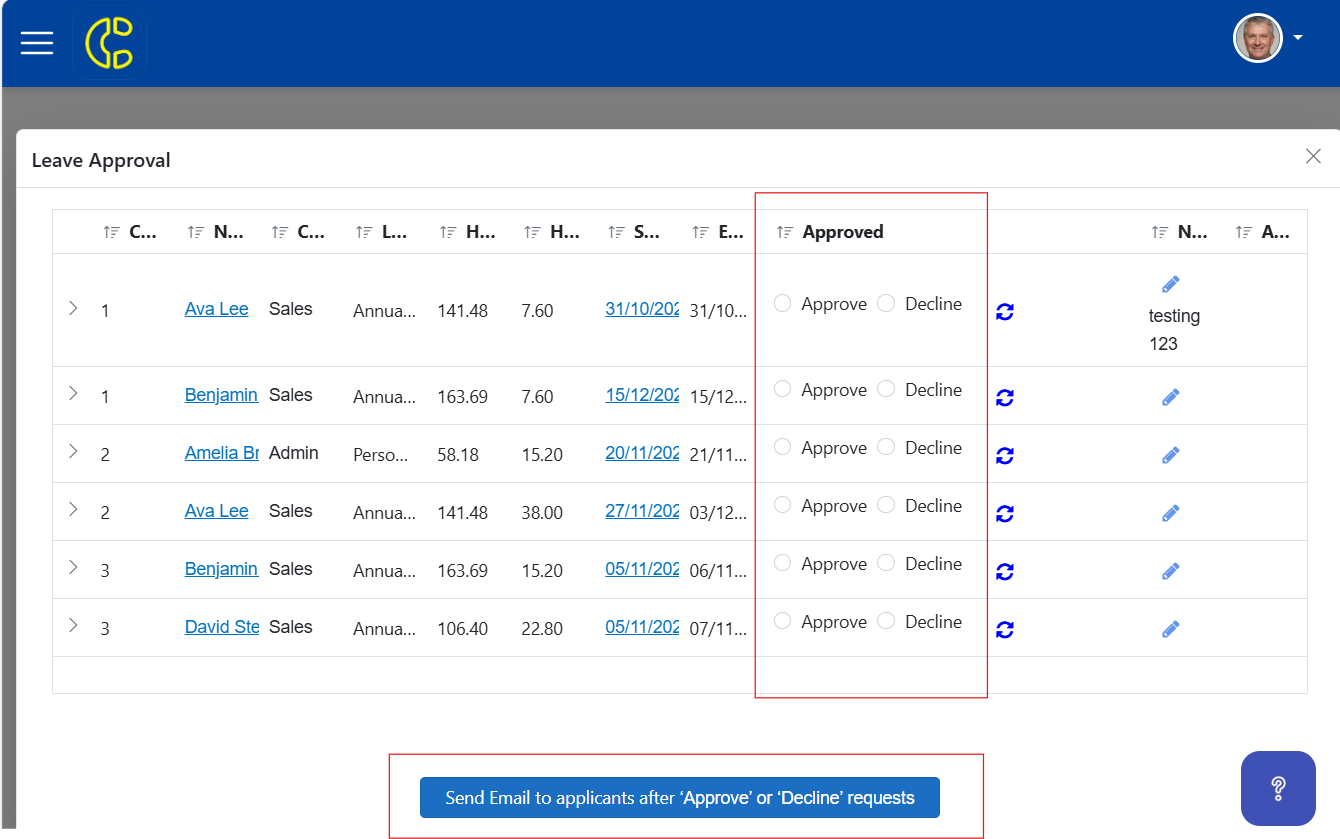
Review all leave bookings in the list and select "Approve" or "Decline" for each.
Click "Save and Send Email to Applicants" to submit decisions.
A confirmation prompt will appear asking to confirm the action.
Outcome: Selecting "Yes" changes the leave booking status to "Approved"; selecting otherwise sets it to "Rejected".
Notifications: An "Approved" email is sent to the applicant; a similar "Rejected" email is sent for declined requests.
Approving Leave in myCinsh:
- A leave approver may also view and approve leave in myCinsh.
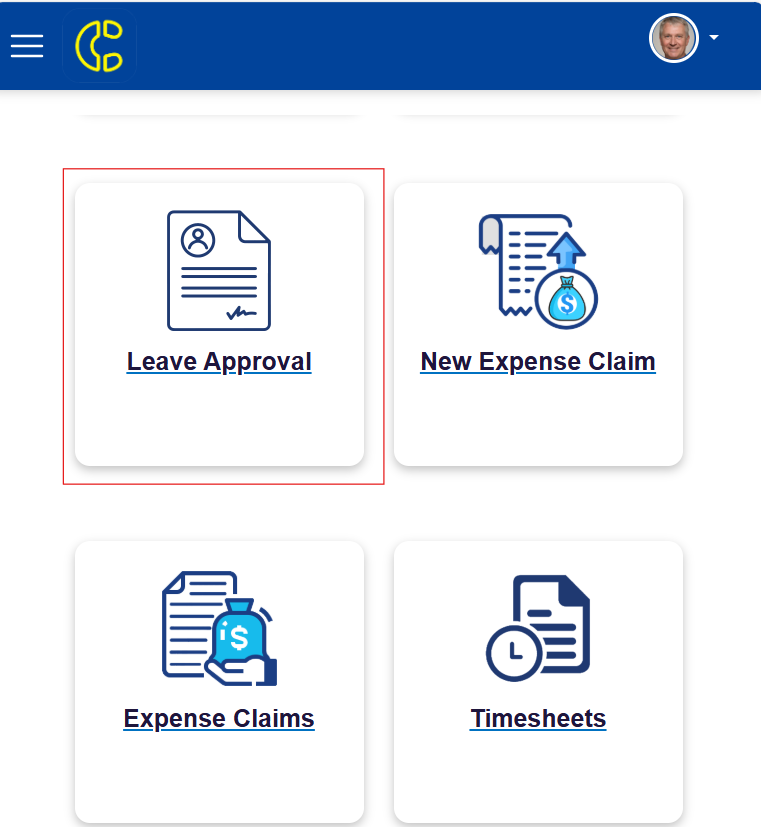
- If you are a leave approver in myCinsh you will see a section "Leave Approval" click here to see all employee leave requests for your approval.
- Select the radio buttons to approve or decline the leave.
- Viewing conflicts, editing or adding notes works the same as the email process outlined above.
 Support
For assistance with the Leave Approval module or related issues, refer to Cinsh’s support documentation or contact the support team.
Related Articles
myCinsh Mobile/Web Application: User Guide
The myCinsh application provides employees with secure online access to key payroll, leave, timesheet, expense, and commission information. Features available depend on your organisation's configuration. Available Features View Payslips Submit Leave ...How to Reset Your myCinsh Password
If you've forgotten your myCinsh password, follow these simple steps to reset it and regain access to your account. Step-by-Step Guide Visit the myCinsh Login Page Go to: https://my.cinsh.com.au/ Select the Forgot Password Option On the login page, ...Cinsh Tutorial: The Calendar, Leave Bookings and Approval
In this complete tutorial, we will walk you through everything you need to know to about using the Calendar along with booking and approving leave.Submitting Expense Claims in myCinsh
New Feature! You can now conveniently submit receipts and requests for expense reimbursement directly through the myCinsh employee portal. This allows for faster processing and approval of your work-related expenses. How to Submit a New Expense Claim ...Real Estate Industry Award [MA000106] pay rate pay guide July 2025
Pay Guide - Real Estate Industry Award [MA000106] Published 16 July 2025. When do the rates in the pay guide apply from? The first full pay period starting on or after 01 July 2025. What is in this pay guide? It’s a summary of the award rates. Go to ...